Find anything across SMDV's drives.
Connect PCs, Microsoft 365, file hosts, code, and messaging.
One unified index across the physical and cloud tools your team works in every day.
Local Storage
Physical DisksWindows (C:, D:), macOS (~/Docs), Linux drives, and mounted NAS.
OneDrive
Microsoft 365Personal and enterprise shared drives with delta sync.
SharePoint
Microsoft 365Team sites, document libraries, intranets, and lists.
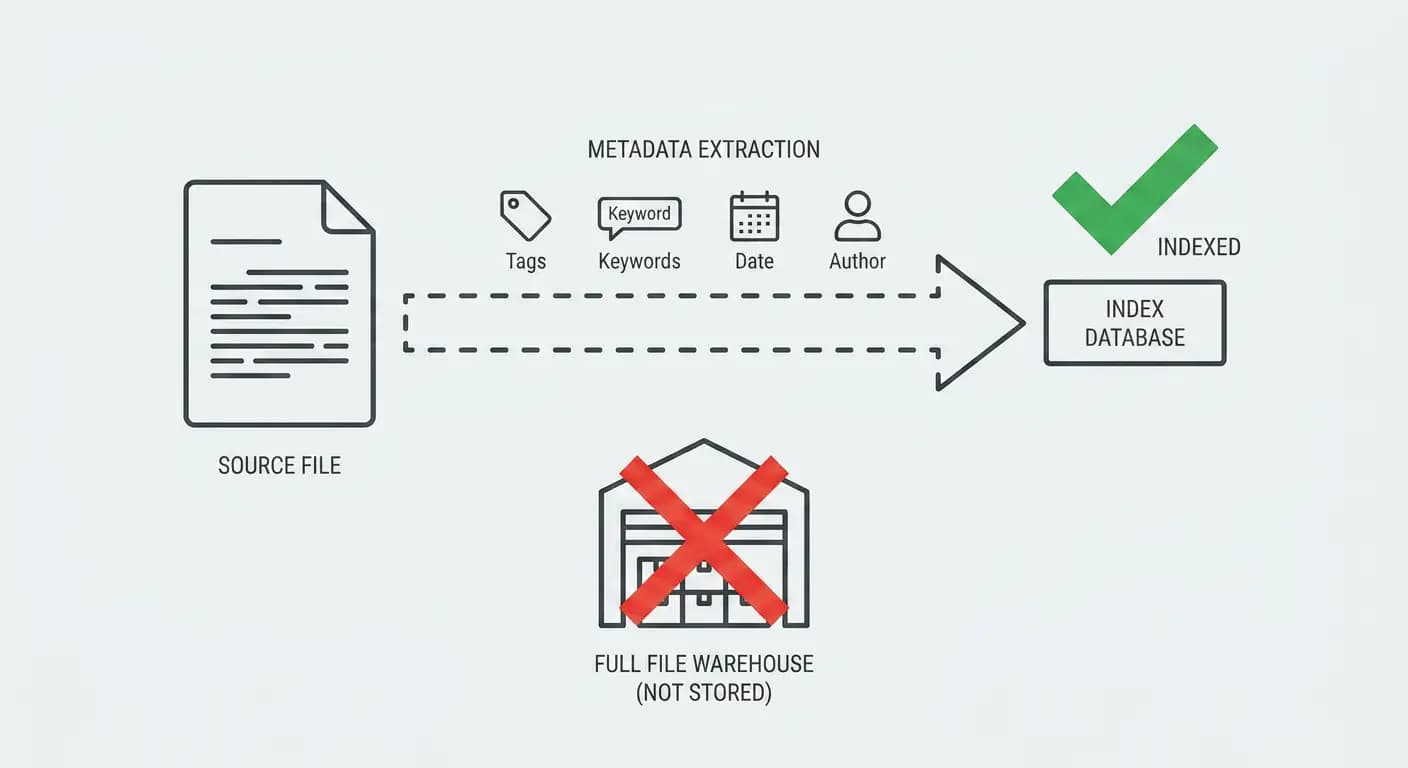
Zero Central Warehousing
Raw files remain in your local folders, SharePoint, or drives. Only search indexes are stored securely.
Multi-Modal Content OCR
Deep text extraction from scanned PDFs, images, receipts, spreadsheets, and source code.
Complete Data Sovereignty
All indexing and AI embedding runs locally on your PC. No corporate data leaves your perimeter.
Everything you need to
find & organize any document
SearchPoint connects your local drives, cloud workspaces, and messaging apps into one blazing-fast, privacy-first local search engine powered by on-device AI.
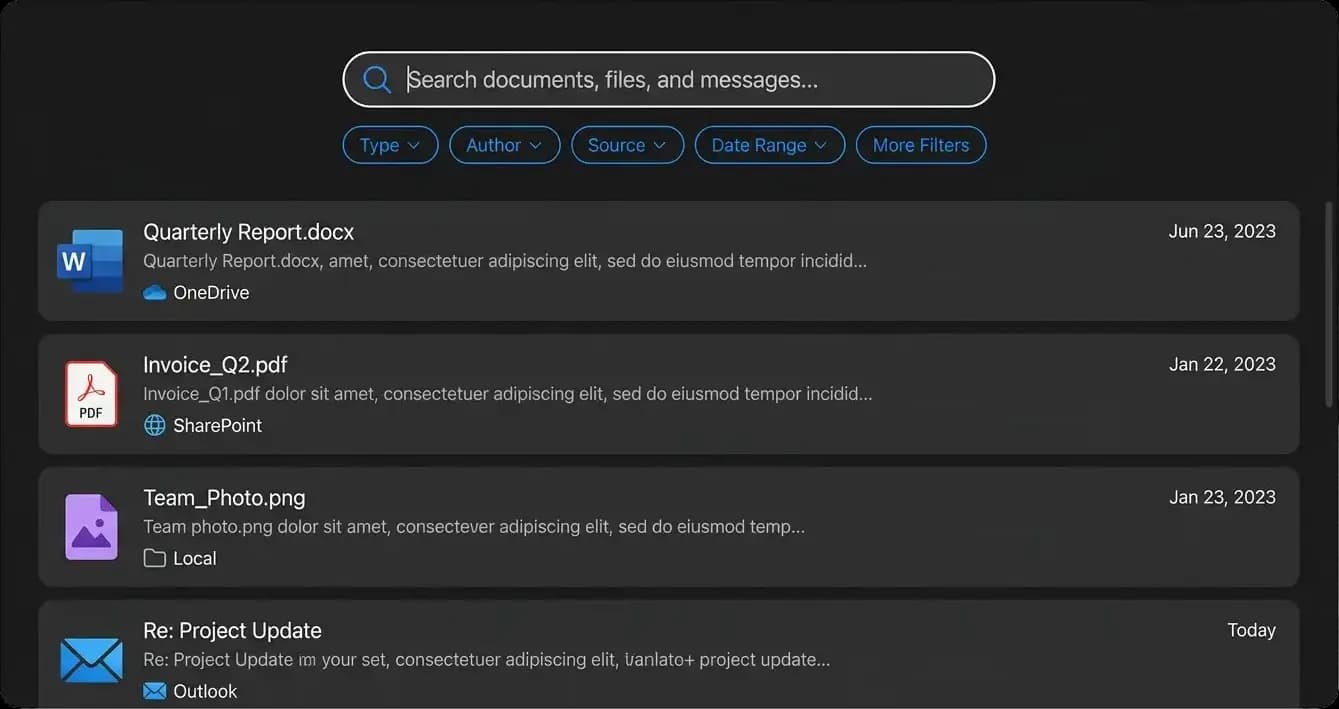
One search bar for your entire workspace
Stop jumping between File Explorer, browser tabs, and SharePoint. Instantly search across local folders, OneDrive, SharePoint, Google Drive, Apple Notes, and WhatsApp from a single prompt.
Rename by AI
Automatically detects cryptic filenames and suggests clean, descriptive names using an on-device LLM—with zero cloud leakage.
Image & Scanned PDF OCR
Search text inside receipts, diagrams, screenshots, and scanned documents using Apple Vision & Windows Media OCR. 0 MB model download required.
Zero Cloud Dependency
Working offline on a flight or experiencing network downtime? SearchPoint automatically falls back to its local search without missing a beat.
Tags, Projects & Notes
Bookmark favorites, attach searchable Markdown notes, and assign custom project tags to create an intuitive layer on top of your files.
Native Architecture Benchmark
Native vs. Standard Electron Apps
macOS Keychain & Windows DPAPI
Encrypted SQLite on-device
No raw files sent to cloud
Built on Native for maximum speed and security
Unlike heavy hybrid like Electron apps, SearchPoint is engineered in native with a minimal RAM usage. All authentication tokens live securely in your OS Keychain / DPAPI, and document text stays strictly private on your device.
Only search keywords and metadata are synchronized; your raw PDFs, spreadsheets, and notes remain encrypted and local.
The knowledge layer for AI apps and agents.
Ground assistants in the same documents your people already search—not a separate silo.
One corpus, many clients
Build once: desktop search and any AI surface all query the same indexed knowledge base.
Provenance you can show
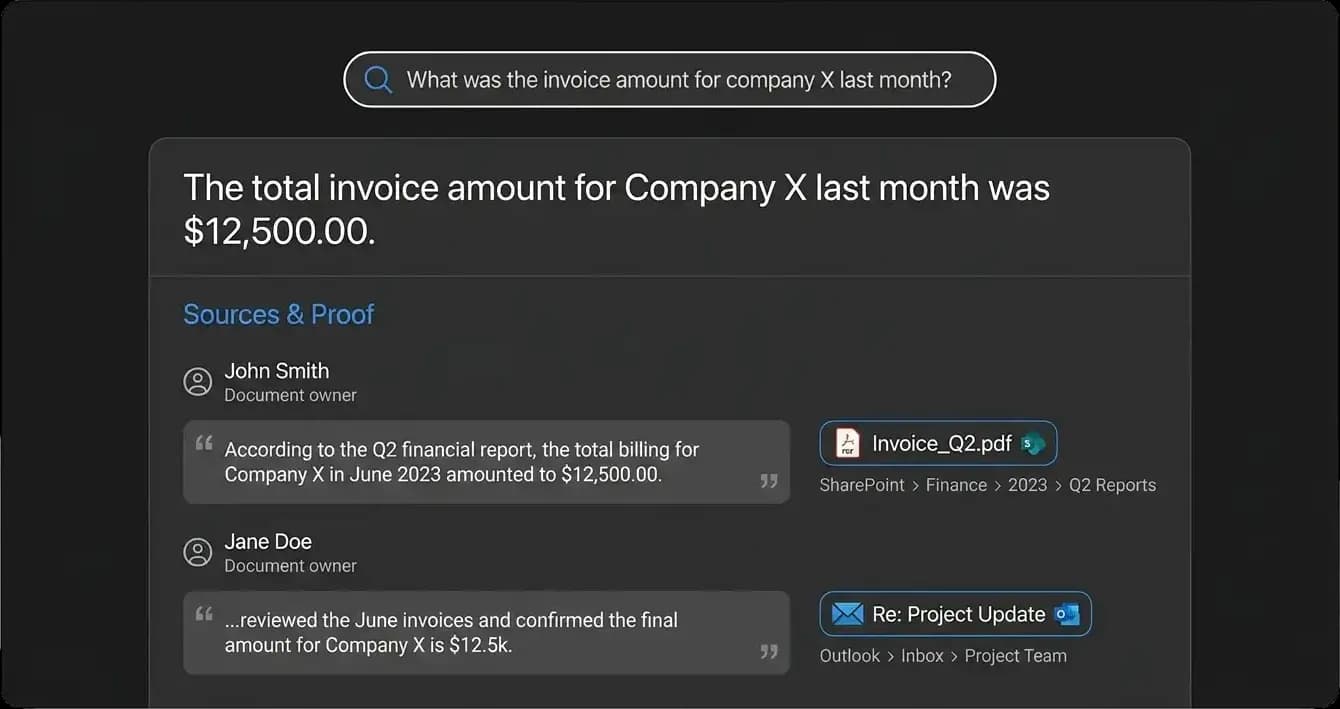
Return snippets, titles, and exact locations so AI apps can cite authentic sources and users can verify.
Same rules as search
Agents inherit Microsoft 365 ACLs and filesystem rights—preventing accidental data exposure across teams.
Answers you can verify
By using SearchPoint's Model Context Protocol (MCP) server, you can ask in plain language—for example, “What was the invoice amount for company X last month?”—and open the proof: document owners, quoted excerpts, and links to the exact files and folders behind the answer so anyone can re-check the same trail.
No hallucinations without provenance. Every AI answer links directly to verified internal files.
Why enterprise teams switch to SearchPoint.
See how SearchPoint compares against built-in OS search and cloud web portals.
| Capability | SearchPoint | OS Search(e.g. Spotlight) | Cloud Web(e.g. MS Teams Search) |
|---|---|---|---|
| Unified Local & Cloud SearchSearch local disk, OneDrive, and SharePoint simultaneously from one shortcut | Full Native Hybrid | Local disk only | Cloud only (No PC files) |
| 100% Offline Search CapabilityFull-text search works completely offline during flights or network drops | Sub-50ms SQLite FTS5 | Local files only | Fails without internet |
| On-Device AI & Total PrivacyDocument summarization & smart renaming without cloud API calls | 0 Bytes Exfiltrated | No content intelligence | Cloud telemetry & AI logs |
| Zero Data WarehousingFiles are never duplicated or held on third-party backend servers | Zero Remote Storage | Local storage only | Centralized cloud |
| Microsoft 365 ACL EnforcementStrictly respects Entra ID groups and SharePoint permission boundaries | Native Entra ID OAuth | No M365 ACL awareness | Web-only ACL check |
| Average Query LatencyTime to render full-text search results across 1M+ files | <50ms Sub-second | 200ms – 2.0s | 1.0s – 4.0s (Web Lag) |
Enterprise-grade security with complete data sovereignty.
Built for enterprise compliance with zero-warehousing indexing, native permission parity, and flexible on-premise deployment within your own infrastructure.
No warehouse of raw files on our side
We index file metadata and search keywords derived from your content; keywords are sanitized to strip sensitive information. Full documents and extracted text are not stored on our side—your files stay where you already keep them.
Tags, keywords, author, and timestamp metadata populate the fast search index without central file duplication.
Permissions carry through
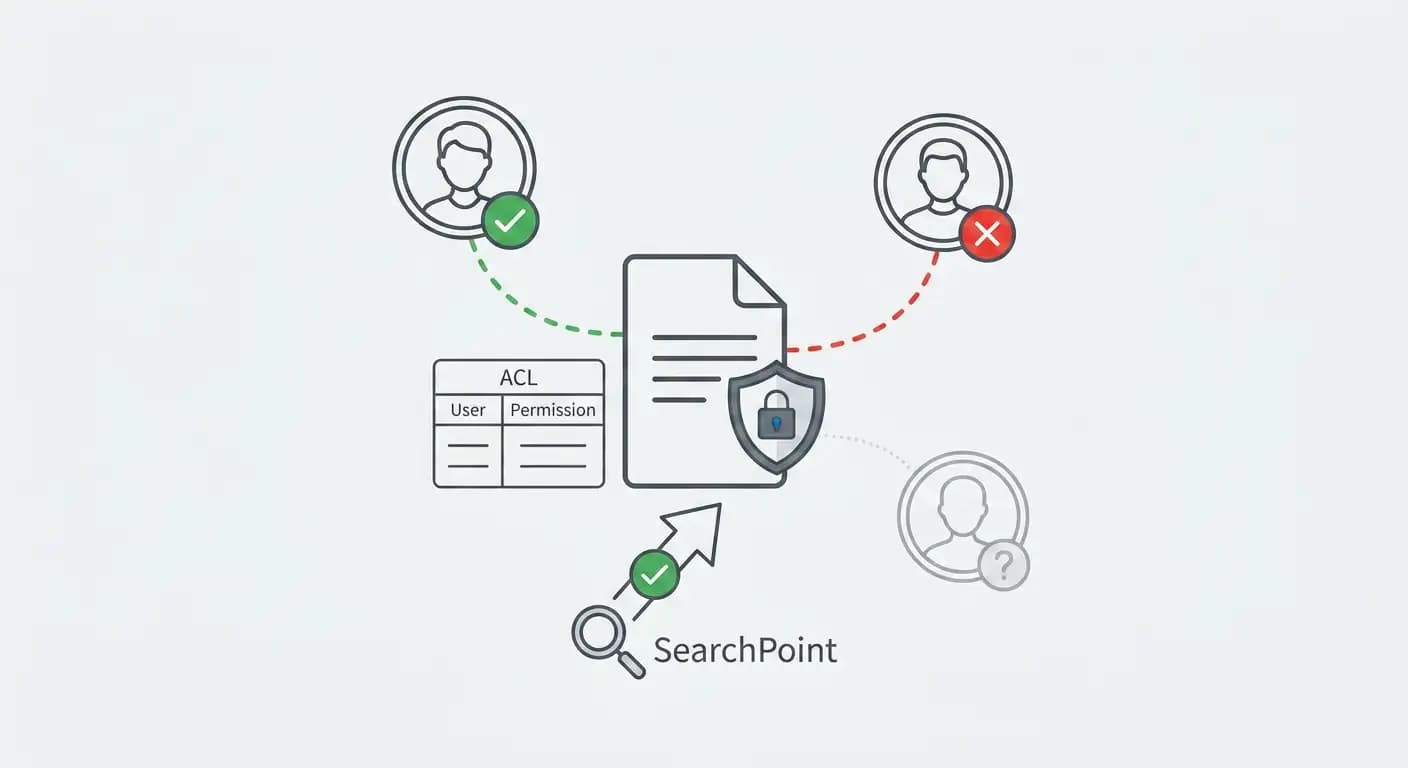
Results honor Microsoft 365 ACLs and filesystem rights. If you cannot open it at the source, you CANNOT see it here.
Employees only receive search hits for files they have explicit access permissions to in SharePoint and Microsoft 365.
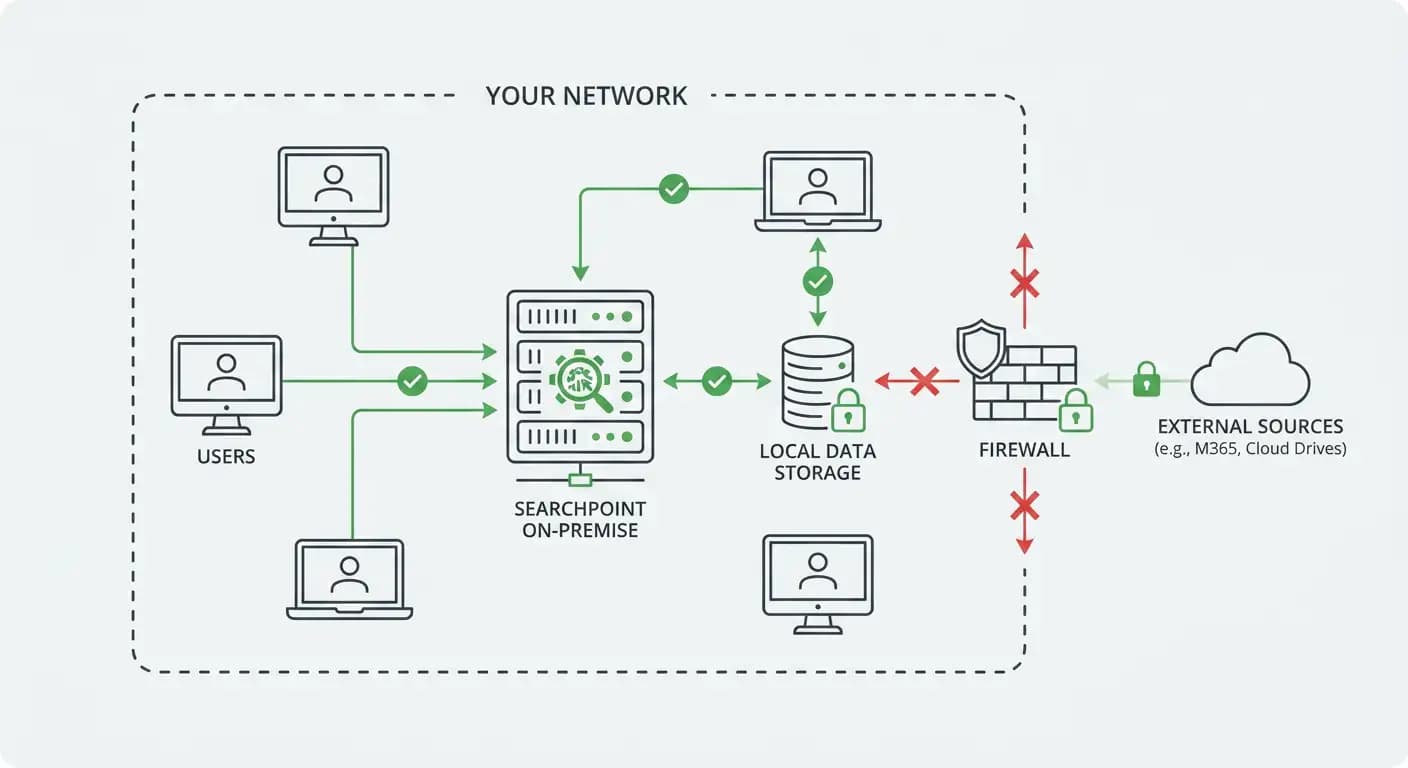
On-premise install
Run SearchPoint inside your network on your hardware and your retention standards. We work with your team to plan capacity and how SearchPoint should be deployed so it fits your environment.
Get SearchPoint for your laptop.
The native desktop app for SMDV. Pick your operating system below to install.